Appendix
Logging In to the Firewall
The following describes how to log in to the USG6500 firewall using PuTTY.
- Open Internet Explorer, enter https://www.putty.org/ in the address box, and press Enter. Click the download link to download the PuTTY tool.
- Double-click the PuTTY application. The PuTTY Configuration window is displayed.Figure 5-78 PuTTY Configuration window
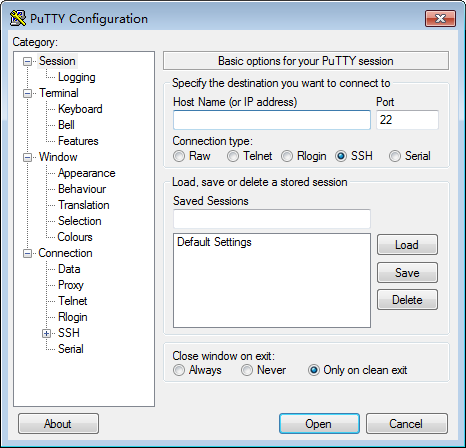
- Set Host Name to the firewall IP addresses, use the default value 22 of Port, and click Open.
- Enter the user name and password.
For details about the default user name and password, see the firewall product documentation.
- Run the system-view command to access the system view.