Appendix
Installing the HWT-IVS1800-D08/D16/E08/E16/LLM in a Cabinet
Before You Start
- Before installing the HWT-IVS1800 in a cabinet, install guide rails to hold the device. If guide rails have been installed in the cabinet, check whether they match the device and whether they block the air intake or exhaust vents of the chassis as the fan is located on the side. If the vents are blocked, change the guide rails.
- The company provides guide rails that can be adjusted from 500 mm to 800 mm for additional purchase if required for HWT-IVS1800 installation.
- Do not attach rubber feet on the HWT-IVS1800 to save space during cabinet installation.
Procedure
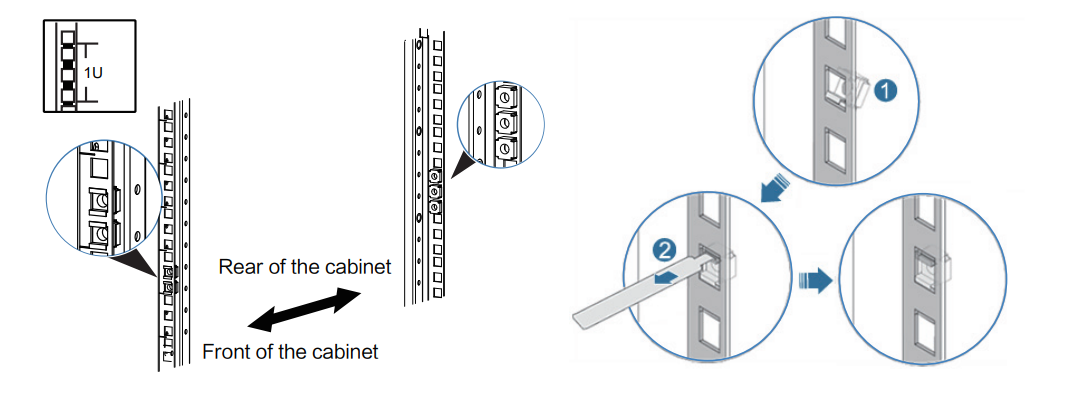
- Install cage nuts (two at the front and three at the back) to fix the guide rail at the proper position in the cabinet, as shown in the lower left figure. The lower right figure shows how to install cage nuts.
- Insert the cage nut into the square hole from the inside of the cabinet.
- Use a mounting bar to pull the cage nut until it clamps the upper frame of the square hole (see 2 in the following figure).
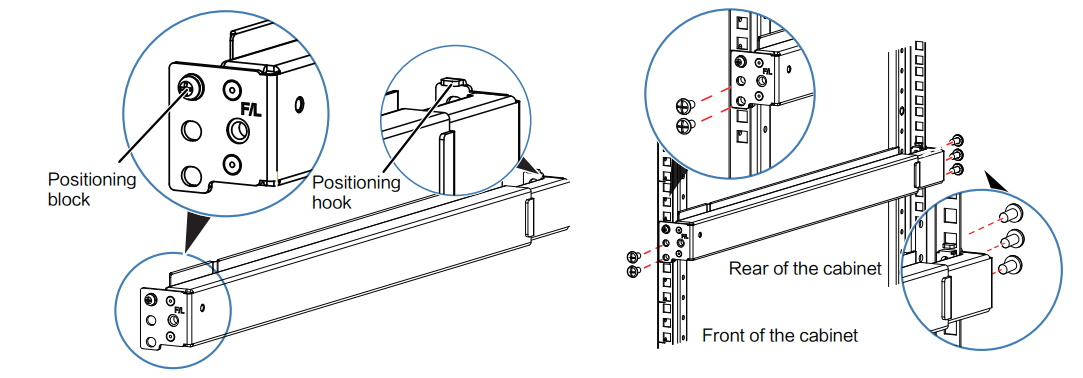
- Install a guide rail. Horizontally place the guide rail to the installation location through the positioning block at the front of the guide rail and the positioning hook at the rear of the guide rail. Fasten four M6 screws (two on each side) to fix the front end and six M6 screws (three on each side) to fix the rear end, as shown in the lower right figure.

Before installing a guide rail, check the (F/L, F/R) labels on the guide rail to identify whether it is for the left or right and which part is the front or rear. F/L indicates the front end of the left guide rail, and F/R indicates the front end of the right guide rail.
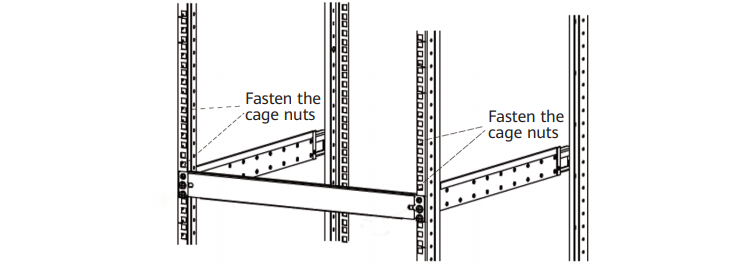
- Install the filler panel. Fasten the M6 screws to install the filler panel for the guide rail.

- Install the cage nuts that secure the HWT-IVS1800. The cage nut installation locations are the first and sixth holes along the guide rail, as shown in the following figure.
- Install mounting ears. Use a PH2 screwdriver to secure the mounting ears to both sides of the front panel of the device with M4 screws on each side. If the device is near the front door of the cabinet, fasten screws in hole group 1; if the device is near the rear door, fasten screws in hole group 2, as shown in the following figure.
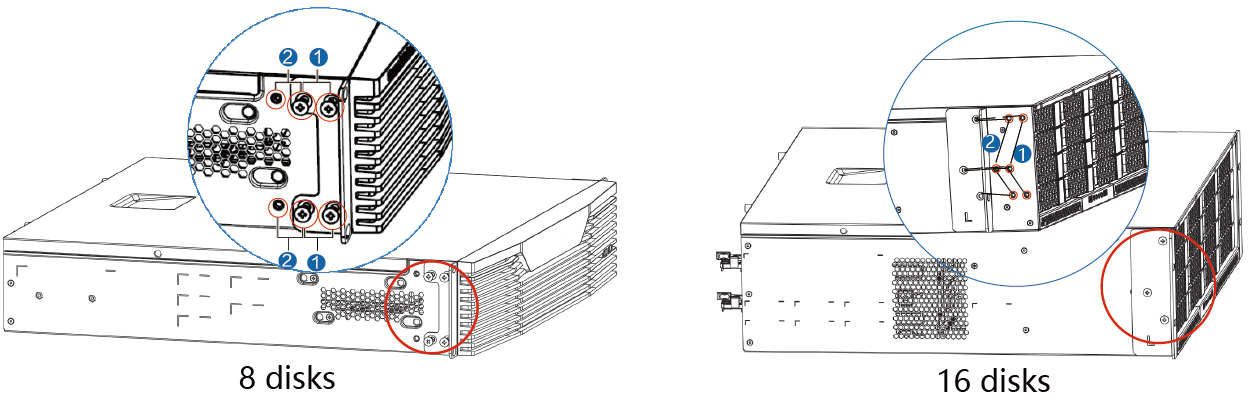
- Install the HWT-IVS1800 in the cabinet.
- Lift the device from both sides and carefully position it at the front of the cabinet.
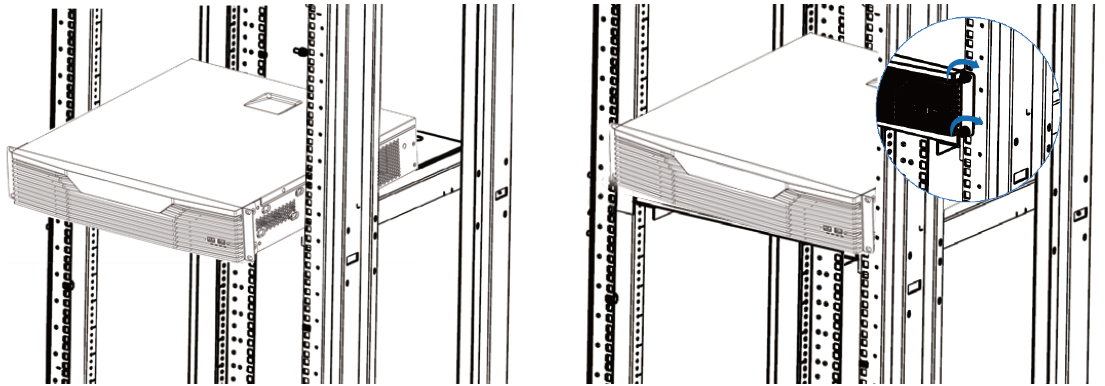
- Lift the device slightly above the guide rails, gently place it on the guide rails, and then slide it into the cabinet until the mounting ears of the subrack contact the mounting bars at the front of the cabinet.
- Thread M6 screws through two slotted holes on each mounting ear. Fasten the M6 screws using a Phillips screwdriver to fix the mounting ears on the front mounting bars of the cabinet, as shown in the lower right figure.